Basketball scoreboard download: mobile installation and getting started
Choose an official Android, iOS or HarmonyOS download channel, or use the web basketball scoreboard for points, periods and the game clock.
Share this article
For a basketball scoreboard download, start with the official iScoreboard download page and choose a channel compatible with your phone. You can also use the browser basketball scoreboard without installation. Choose according to your event and devices, then check point entry, periods and clock settings.
Open online basketball scoreboardSelect a compatible channel
| Device | Where to start | Check first |
|---|---|---|
| Android phone | Android tab: store or APK | App identity, version and installation prompts |
| iPhone / iPad | iOS tab: App Store | Compatibility, features and price |
| HarmonyOS device | HarmonyOS tab | Channel compatibility with your system |
| Computer or borrowed tablet | Browser basketball scoreboard | Browser, screen orientation and connection |
Follow your phone’s installation prompts when opening an Android package from the official page. Different operating systems use different packages. If a store does not open, check connectivity and whether that store applies to the device before selecting another listed channel.
Practise with a test match
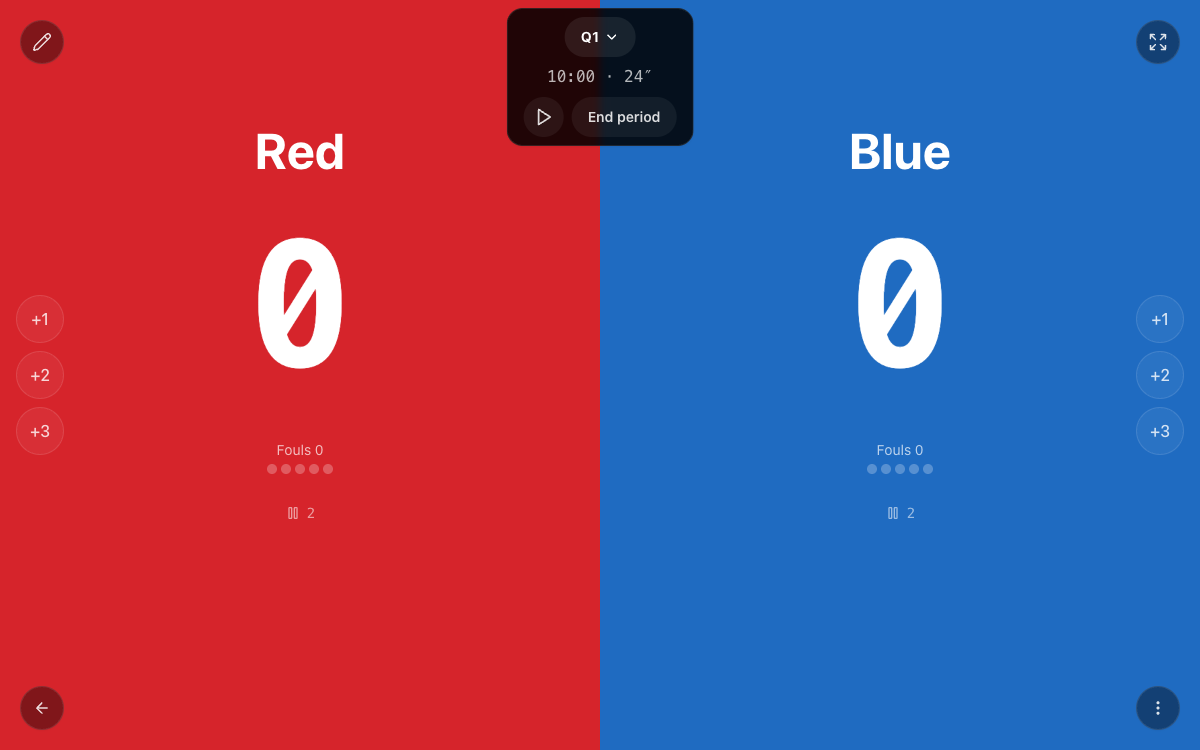
- Enter the two teams and agree periods and duration.
- Check stopped-clock or running-clock arrangements and timeout handling.
- Try +1, +2 and +3 scoring and a correction before starting at the official initial score.
- Appoint one scorekeeper and confirm the total after each period.
Points and clocks need separate checks
Record the referee’s confirmed scoring value. Correcting a score does not itself correct elapsed time: establish the valid clock reading and match state before changing them. The game clock, possession clock and timeout countdown are separate records.
Check visibility on the actual event screen. If another device displays the score, test its connection and updates beforehand. Platform features, paid options, disconnected operation and cross-device updates must be checked against the actual app version.
Try the browser scoreboard
Set up both teams and practise scoring and clock operation.
Open online basketball scoreboardFrequently asked questions
Can I use a computer?
Yes, use the browser basketball scoreboard. That is separate from installing a mobile app.
Are features and prices identical on every platform?
Check the actual platform’s store listing and app. Do not assume parity from a website description.
Was this article helpful?
Loading ratings…
Share this guide with your team